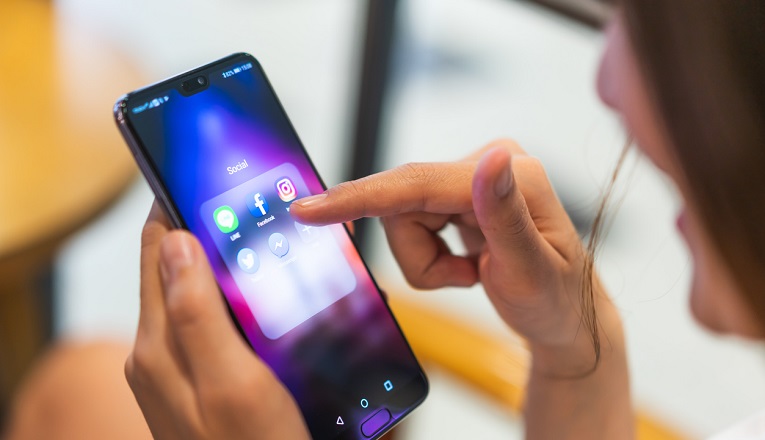
How to create social media assets for promoting your small business
Posted: Thu 14th Nov 2024
Last updated: Wed 19th Mar 2025
13 min read
If you run a small business, social media can be one of the most powerful and cost-effective ways to reach your customers.
But to stand out online, you need more than just a few random posts – you must have well-designed, purposeful social media assets.
In this blog, we explain exactly what social media assets are, how to create them and how to use them effectively to promote your business.
Whether you're just starting out with social media marketing or want to make your existing content much better, you'll find plenty of tips, tools and ideas here to help you.
What are social media assets?
Social media assets are the visual and written materials you use to promote your business online.
They're a crucial part of your overall marketing assets – the tools and materials you use to communicate your brand.
Common examples of social media assets
Images and graphics
Videos and reels
Captions and post copy
Hashtags
Templates for posts or stories
Branded elements like logos, colour palettes and fonts
These assets are what your online presence is built on. When done well, they make your marketing efforts – and your business – look more professional, recognisable and trustworthy.
Why having good social media assets is important
Whether you're selling handmade crafts in Birmingham, running a café in Swansea or offering services in Glasgow, supplementing your social media posts with great assets can make a huge difference. Here's how:
Support your marketing strategy: Social media assets are essential assets in marketing, helping you promote products, tell your brand story and reach potential customers.
Planning your social media assets: Where to begin
Before you dive into your designing assets for your social media channels, it helps to have a plan. Here's what to consider:
1. Know your audience
Who are you trying to reach with this social media content? Think about the people involved: Their age, interests, location and the problems they have that your business could solve.
2. Pick your platforms
Focus on where your customers are:
Facebook and Instagram: Great for local businesses and visual content.
LinkedIn: Ideal for B2B (business-to-business) or professional services (such as consultants, accountants or financial advisers).
TikTok: Brilliant for showing personality and behind-the-scenes pieces of content.
3. Set clear goals
What do you want to achieve with these social assets you're spending time on? Some examples…
Include alt text and descriptive captions for accessibility and SEO.
How to organise and reuse your digital marketing assets
Keeping things organised helps you save time and stay consistent.
Set up folders (such as "Logos", "Templates", "Photos", "Videos") in Google Drive or Dropbox as a place to store your creative assets.
Once you've created a template, save it so you can use it again for things like weekly offers, testimonials and quotes.
Be sure to repurpose digital content across a number of different social platforms. For example, you could turn a blog post into a carousel, a testimonial into a quote graphic or a photo series into a behind-the-scenes reel.
This not only saves you time, but makes sure your marketing assets work harder for you across several important touchpoints.
Building a strong asset library
Don't feel overwhelmed – no-one builds a perfect social media presence overnight.
Start small by creating a few basic templates, then using them consistently across your social channels. Add more over time as you learn what works (and what doesn't).
Your social media assets are just one part of your broader marketing assets, but they're one of the easiest and most powerful places to begin.
Taking great photos with your mobile phone
Enterprise Nation member Mariko Broome runs courses through her photography business to help business owners take better pictures.
She says a lot of budding content creators tend to lack the confidence to take photos using mobile phones. She recommends creating a library of photos you can use that are unique to your business.
"Make sure your photos are interesting and inspirational and add value, because people don't want to be sold to all the time.
"Create a library that isn't just photos of your products. Try to inspire or motivate to help them connect."
Mariko has a number of guidelines for people who are starting to take their own photos for their social content:
Don't use zoom or flash.
Tap the screen to choose where you want to focus.
When you're shooting for Instagram, think about how you shoot. It will come up in a square so your composition will change.
Try turning on the phone's grid. You can line up the horizon (the horizon should be flat to avoid putting the viewer off) or something of interest with one of the lines.
It really helps to practise. If you see an opportunity to take a photo, get a number of shots. Try portrait and landscape, or shoot from above.
Experiment with different layouts. Experimentation will help you get comfortable and find a style that suits your business.
VSCO (free and paid options, good for general fixes), and
Snapseed (free, accessible photo editor, great for more technical work) for editing
She says:
"My top tip for editing is don't over-edit. If you want your image to be recognisable on all your social media platforms, one way to do it is to use filters or presets. You can find filters that you can add to your images to get consistency."
In her view, video needs to resonate with customers, so you need to be creating good-quality videos. How can you do that? Lucy explains:
"It's about building a relationship with the lens and learning to love the lens, so that you can look and feel more confidence."
Video doesn't have to cost the earth and Lucy has several tips to help you get started making your own videos.
Lighting: When you put nice lights on, you look so much better. Think about buying a lighting ring attachment for your phone.
Sound and image quality: Start by using your phone and the light. After that, you can look at things like a microphone (she recommends Rode microphones, but there are cheaper alternatives).
Tripods: Using one of these will help you avoid camera wobble, which is always the mark of an amateur.
In terms of filming, having the camera horizontal is often better because it looks more professional.
However, vertical can look best on mobile, so mix it up. Make eye contact by fixing your eyes on the lens rather than the screen.
Wear clothes that are on brand and try to avoid stripes and patterns. Think about your framing and backdrop – what objects and scenery give the right impression? It's worth writing a bullet-point plan of what you want to cover.
Quick starter checklist
Define your brand style (colours, fonts, tone).
Set up an account in Canva or Adobe Express (or another tool, if you prefer) and create a few templates.
Take fresh photos of your products or services.
Plan a basic weekly content calendar.
Save your marketing assets in an organised folder.
Final thoughts
If you haven't created any social media assets yet, now's the perfect time. Start with one or two platforms, create a few branded templates and build your asset library as you go.
Your future self will thank you – and your audience will notice the difference.
Make your small business more productive with the free Tech Hub tool
Get tailored recommendations, join virtual workshops, connect with expert advisers and find practical resources. Take me to Tech Hub now
Enterprise Nation has helped thousands of people start and grow their businesses. Enterprise Nation connects you to the resources and expertise to help you succeed.